July 31, 2026
- gamedesign
- gamedev
You, The Client
You, the client, are a key member of the game design team. You bring to the game design all the targets and constraints.

- ☐ Target Learning Objectives
- ☐ Timeline
- ☐ Budget
- ☐ Technology/Platform
- ☐ Distribution Strategy
- ☐ Research/Testing Requirements
- ☐ Who are your users?
- ☐ Who are your Subject Matter Experts (SMEs)?
- ☐ Who are your stakeholders?
The Process - An Overview
The SOW, Design Discovery, the design document, and SCRUM/JIRA TICKETS turn high-level business goals into design steps and then into trackable daily chores.
- What is Answers: What are we paying for? Phase: Contractual. Function: Sets the legal and financial documents. Discussion: The Statement of Work sets the project goals and budget. It says what to build.
Statement of Work (SOW)
1. The Discovery Gate
During Design Discovery, our SOW dictates strict boundaries for rapid prototyping spikes. This protects the project budget by forcing our team to validate pedagogical game loops early before freezing the design.
2. The Production Blueprint
Once validated, the approved loops advance into the Game Design Document. This transitions our team from exploratory thinking into rigid sprint execution, tracking milestones directly against the Full Production SOW.
- Design Discovery
- What is Answers: Why are we building this? Phase: Conceptual. Function: Explores and validates user needs. Discussion: During discovery, you create dozens of messy sketches, user flows, wireframes, user flows and more. The Design document organizes the final winning concepts into a clean, structured package.
- What is Answers: How exactly will it work? Discussion: Aligns design and engineering on the blueprints. The Design Document formalizes the final chosen solution. It summarizes Design Discovery: During discovery, you create dozens of messy sketches, user flows, and research notes. The Design Document organizes the final, winning concepts into a clean, structured package. It fulfills the SOW: It proves exactly how the team plans to deliver the scope promised in the contract. It builds the Jira Backlog: A product manager or tech lead cannot easily write 50 Jira tickets from a raw Figma file. They write the Design Document first, then use it as a checklist to generate and write individual Jira stories.
Design Document (DD)
- SCRUM and JIRA Tickets
- What is answers: When and who will build it? Discussion: Executes the blueprint in short sprints. SCRUM and JIRA tickets break the Design Discovery plan into small tasks (tickets) for daily work. They connect by turning high-level business goals into design steps and then into trackable daily chores. completed tickets prove the team met the SoW goals.
Hybrid Agile Methodology
While we don't use a pure Agile workflow, our hybrid workflow works exceptionally well for educational game software. Design discovery in a focused burst at the beginning allows us to be mindful of our client and their/our SME's time. Design sprints precede feature sprints due to the production needs of creative media, academic requirements, and rigid publishing constraints. Visual media naturally follow a flow of concept → model → animate → Code. Front-loading the design phase allows artists to build an asset library ahead of the engineering team.
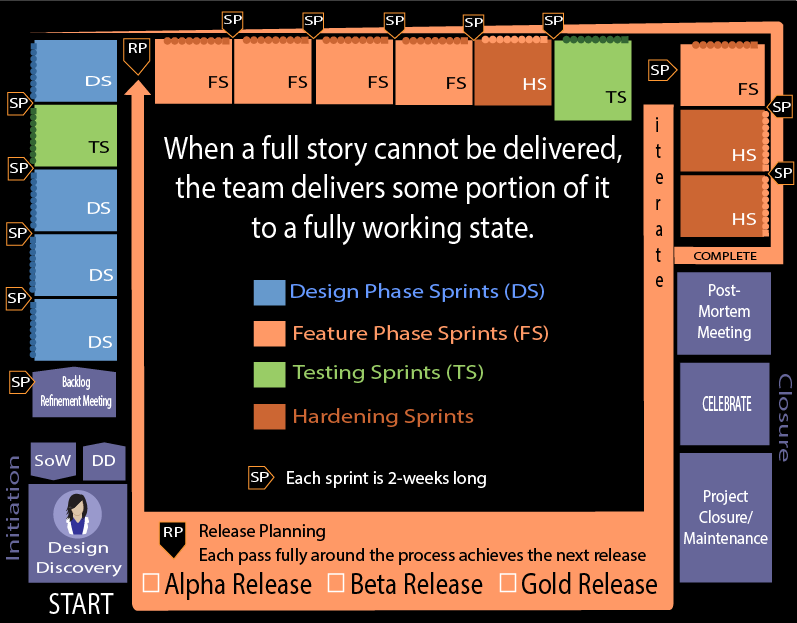
The flow of work then happens clockwise through the process. The first pass all the way around the process completes the Alpha Release which will go through internal testing. Then, the next time around the workflow will result in the beta release. This is the release where a selected set of users will try the game and give feedback. The last time around will be the Gold Release which is the publicly available release.
Design Discovery
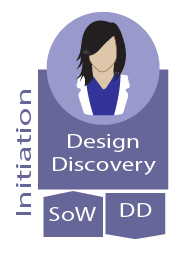
During Design Discovery you will meet the next person in the process, the Game Design team's lead. Much of the early planning on your game is done by the lead and when the Design Discovery has nailed down what you want in your game then the Game Design Team's team lead will bring in the rest of their team in.
Our Teams are typically working on 2 to 5 games at the same time with each project lasting from 5 to 18 months. Your project will be led by on of our product owners/instructional designers.
Product owners/Instructional designers manage the project and teams (through each team's team lead) to ensure that the team is always focused on achieving your goals. Leveraging Agile practices, your Instructional Designer works closely with you and the development team to identify your must-have features and align them with the realities of time and technology.

Set the budget, scope, and makes sure it ships on time and on budget
Participate in document client calls
Owns all scheduling - Assign tasks, updates iterations, run and document sprints and daily SCRUM meetings (JIRA)
Verifies the project meets the requirements of the Statement of Work (SOW)
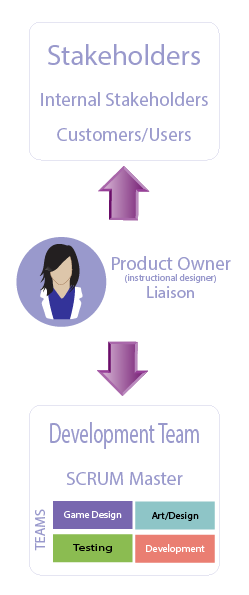
In my workplace, there is generally a period before production where most of the work falls on the designer’s shoulders. It’s usually me doing this by myself while my future team finishes up another project. I’ve found that there is a sweet spot during this time where I’ve designed enough of the features to be able to pitch the game to them but still haven’t fleshed everything out yet. It’s when I reach this magic moment that I rally the troops to get feedback before wasting my time on taking the design further. When you design a feature, think about what parts of the feature your team would be able to design better. If you want your game to have a system for collecting and managing inventory objects, for example, don’t come up with the specifics of exactly how the player adds, moves, shares, and deletes objects in their inventory. Let your interface designer solve that problem

Much of the early planning on your game is done by the Game Design Team's lead who will work with you through the Initiation and later bring in the rest of the team. She will be working to understand your needs simultaneous to designing the Design Document (DD) and the Statement of Work (SOW).
Core Concept & Vision: A high-level description of what the player will do and the project's primary objectives.
Design Pillars: Three to five fundamental design goals that guide all subsequent development choices.
Learning Objectives: In educational games, this outlines the exact skills or knowledge the player should take away.
Main Mechanics & Controls: Details on core player actions, how to perform them, and the resulting in-game feedback.
Art & Audio Style: Early visual and audio concepts, often paired with accompanying concept art and wireframes.
Basic Story Outline: A summary of the narrative (if applicable to the specific project).
Production Plan: Basic budget outlines and timeframes for development.
The Design Phase
The Backlog Refinement Meeting is a time when everyone works out what to-dos need to be done over the design phase and many of the to-dos that will even be for later phases.
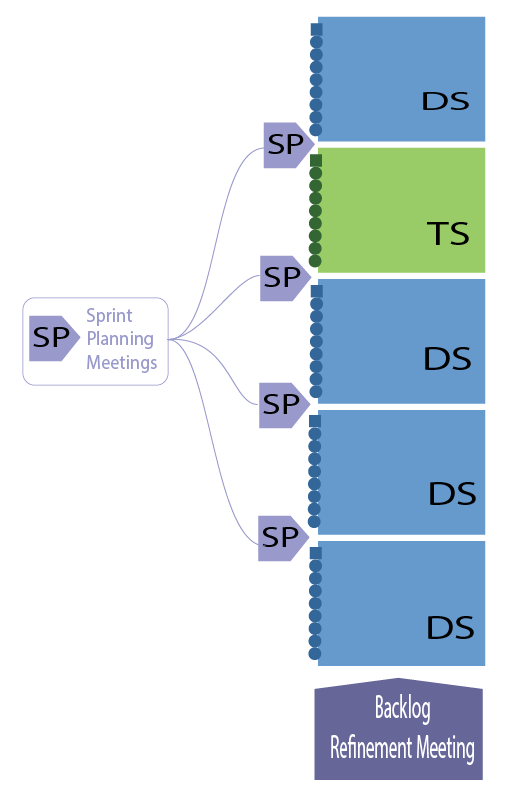
The design phase is split up into two-week sprints each will open up with a Sprint Planning Meeting. In that meeting, the to-dos still sitting in the backlog created in the Backlog Refinement Meeting will be looked at to select the to-dos that make sense for the upcoming two-week sprint. Yes, we do often figure out to-dos along the way that we need to add to the backlog or to the current sprint.
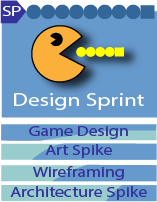
Now let's look more closely at what happens once the design team is brought in and the design sprints begin. Notice the little graphs in the Game Design, Art Spike, Wireframing, and Architecture Spike. You get a sense of the order in which things occur.
Graphic/Visual Design: How it looks
Information Architecture/Design: How it's organized
UI Design: How it works before I touch it
Interaction Design: How it works after I touch it
Web Design: How it works in the browser
UX Design: How I feel about it
Development: Actual Coding

Interaction Design: How it works after I touch it
Game Design Lead
Work directly with clients and outside stakeholders
Stay in touch with team
Make the meeting pitch and deliver the GDD
Game Design Team



 ALL
ALL
Ensure designs are feasible and that layer progression and game mechanics adhere to learning objectives
Build the Game Design Document from the tasks below
#1 and #2
Design game mechanics that teaches the player x learning objective with a good dopamine hit.
Design game levels, pacing (when to breathe and when to escalate tension), and emotional arc
Design puzzles and focus - discrete logic, state machine design, rule generation, branching dialogue logic, all while keeping an eye out on user learning progression
Asset Sheet for art/animations and ask for the initial approved sketches to be forwarded to place them into the prototype.
#3, and #4
Write dialogue
Asset Sheet for sound
The meetings you will be introduced to here is done throughout all of the design and development cycle for all active teams.
#1
Work is divided into two-week sprints throughout design and development. Each two-week sprint opens up with a sprint planning meeting to plan out the work that will be done in that sprint from the backlog.
Each day, the team has a Daily SCRUM Meeting. These are very short meetings and are often done standing up to encourage members not to get long-winded.

At the end of a sprint, a sprint review meeting is held to reflect on lessons learned in the most recent sprint.
Virtual Homeschool Group
Online High School Biology
A full-year high school biology curriculum for Canvas, Moodle, or standalone web delivery.
- Key Features: Interactive lab simulations, BioMysteries™, adaptive diagnostic quizzes, and collaborative exam review games.
Virtual Homeschool Group
Online High School Chemistry
A full-year high school chemistry curriculum for Canvas, Moodle, or standalone web delivery.
- Key Features: Interactive lab simulations, BioMysteries™, adaptive diagnostic quizzes, and collaborative exam review games.

Graphic/Visual Design: How it looks
- Graphic Designer
- Core Goal? Convey a specific message or brand identity through static visuals. Common Projects: Print ads, posters, brochures, packaging, and logos. Mediums: Both print and digital formats. Main Tools: Adobe Photoshop, Illustrator, and InDesign.
- Visual Designer
- Core Goal: Balance aesthetics with intuitive user experience on digital interfaces. Common Projects: Websites, mobile apps, interactive platforms, and whole brand visual language. Mediums: Digital-only spaces (screens and software). Main Tools: Figma, Sketch, and Adobe XD.
- Game Artist
- Primary Focus: World-building, character creation, and player immersion. Mediums: Interactive 2D and 3D digital environments. Functionality: Dynamic, moving components built to react to physics and lighting. Core workflow: Asset-centered, guided by concept art and technical game engines, Key tools: Blender, Maya, ZBrush, Substance painter, and Unity game engine.
While graphic and visual designers focus on communication and digital brands, game artists focus on immersion and interactive storytelling. They translate a writer's ideas and a programmer's mechanics into tangible, breathing 3D worlds or stylized 2D environments.
The Game Art team offers custom, in-house illustration that will infuse your project with life and personality. Unlike other studios that outsource artwork, we provide you with access to our game artists, offering unparalleled creative input on the aesthetic of your game. Art assets produced for your project become your intellectual property, without any need for licensing management once the project completes. The Game Art Team is usually working on 2 to 3 games at the same time.
Plans and manages art/animation asset approval/production/placement.
Send approved concepts to Game design
Replace concept art/animation with production art/animations
Stay in touch with team
Art Design Team
ALL
Ensure that all assets stay 'on brand' according to the game art guidelines.
#1 and #2: Concept Level Work to Send for Approval
Create concept characters and 'pencil test' animations for the art director's approval.
Create concept environment sketches for the art director's approval.
Create concept state interactive objects for the art director's approval.
#2 through #4: Production Ready Art/Animation
Create production ready illustrations from approved sketches.
Create production ready environments from approved sketches
Create production ready animations from approved pencil tests
Create production ready 3D models

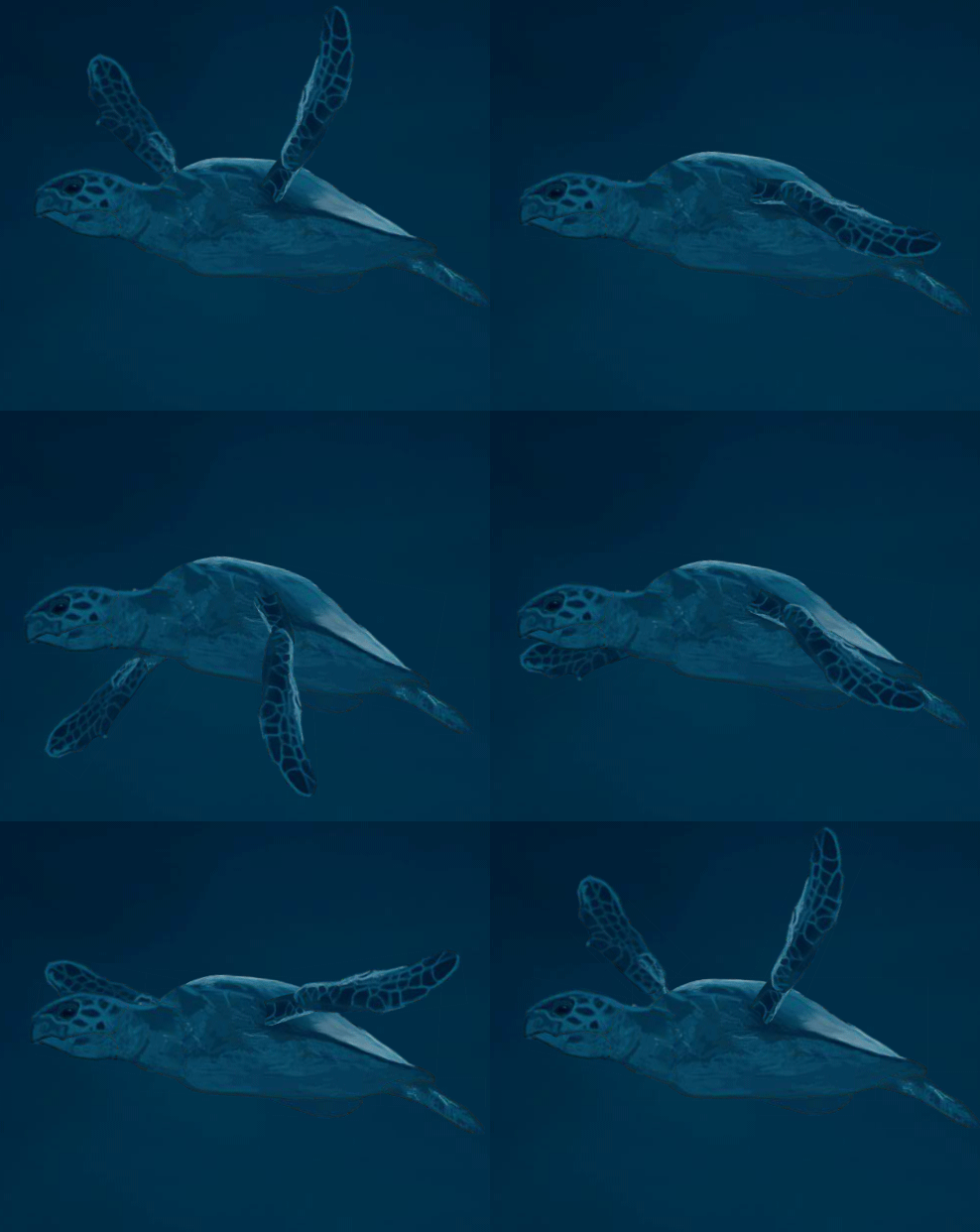
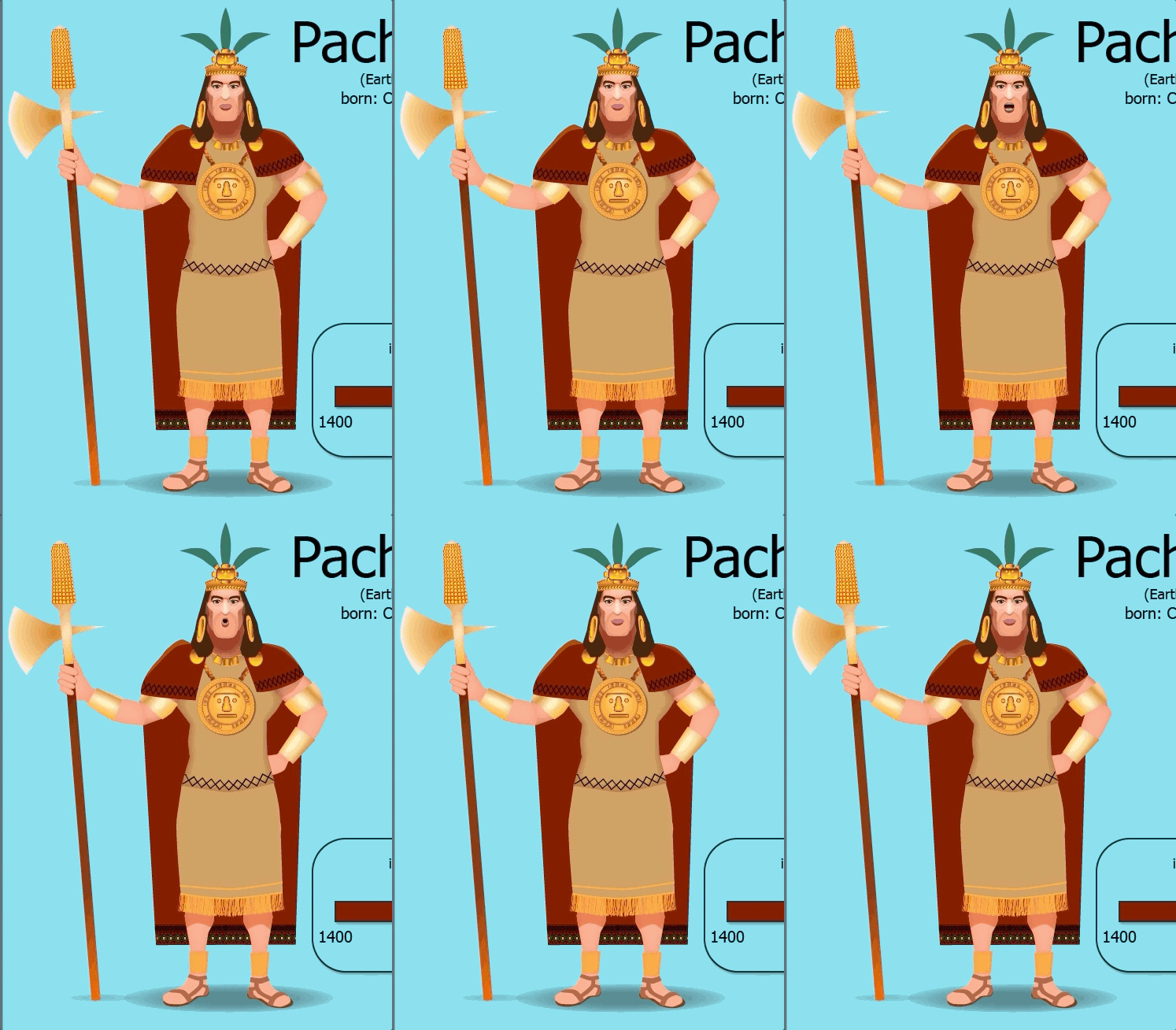

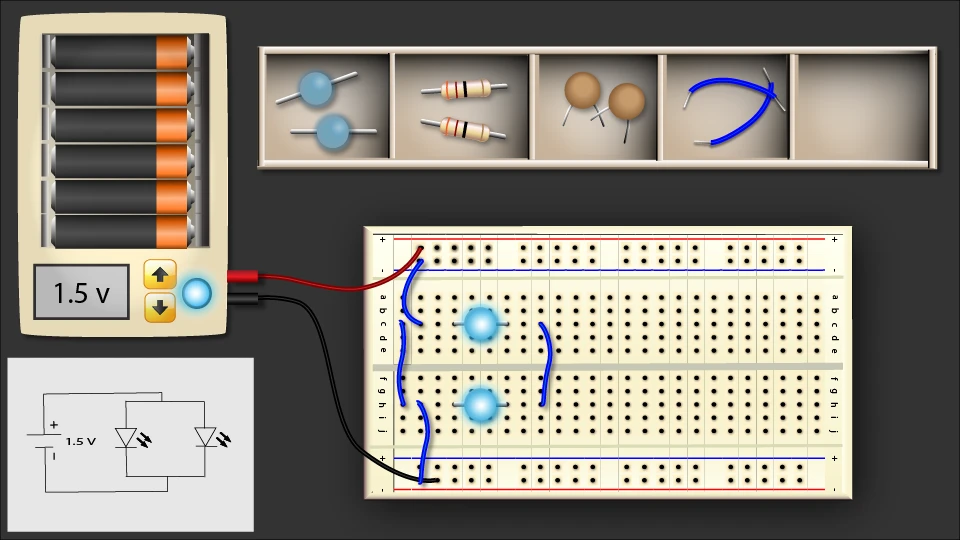
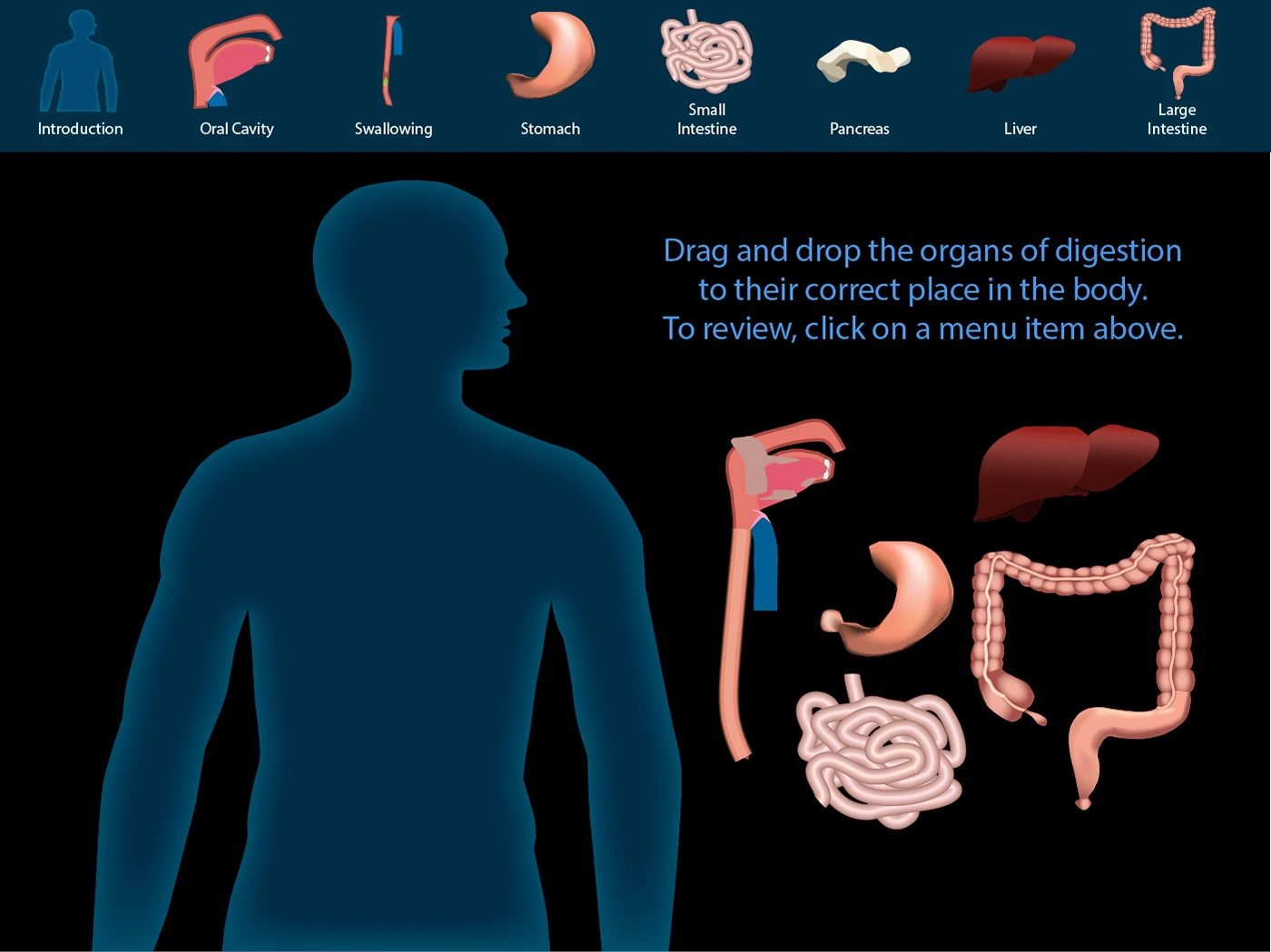
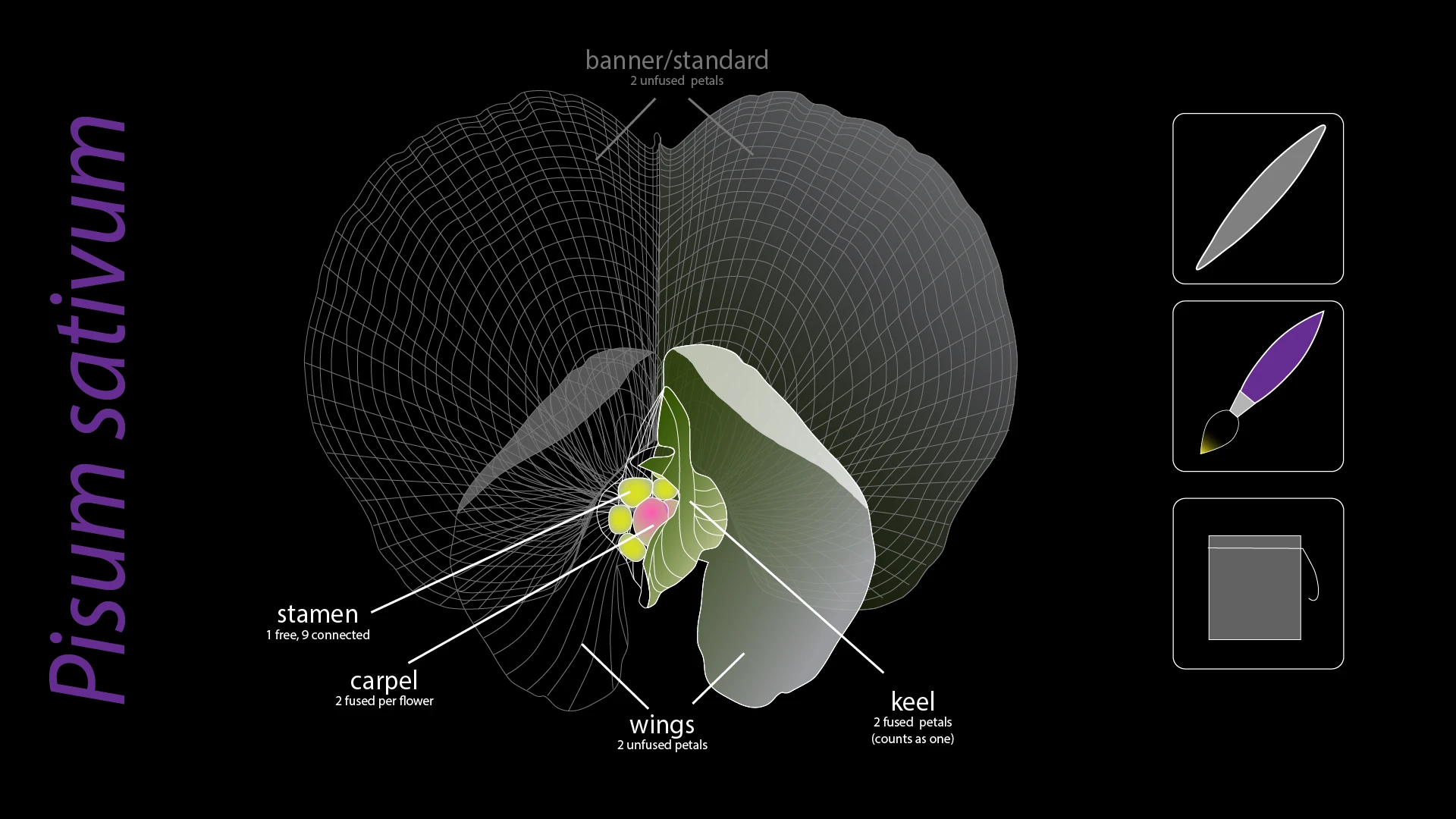
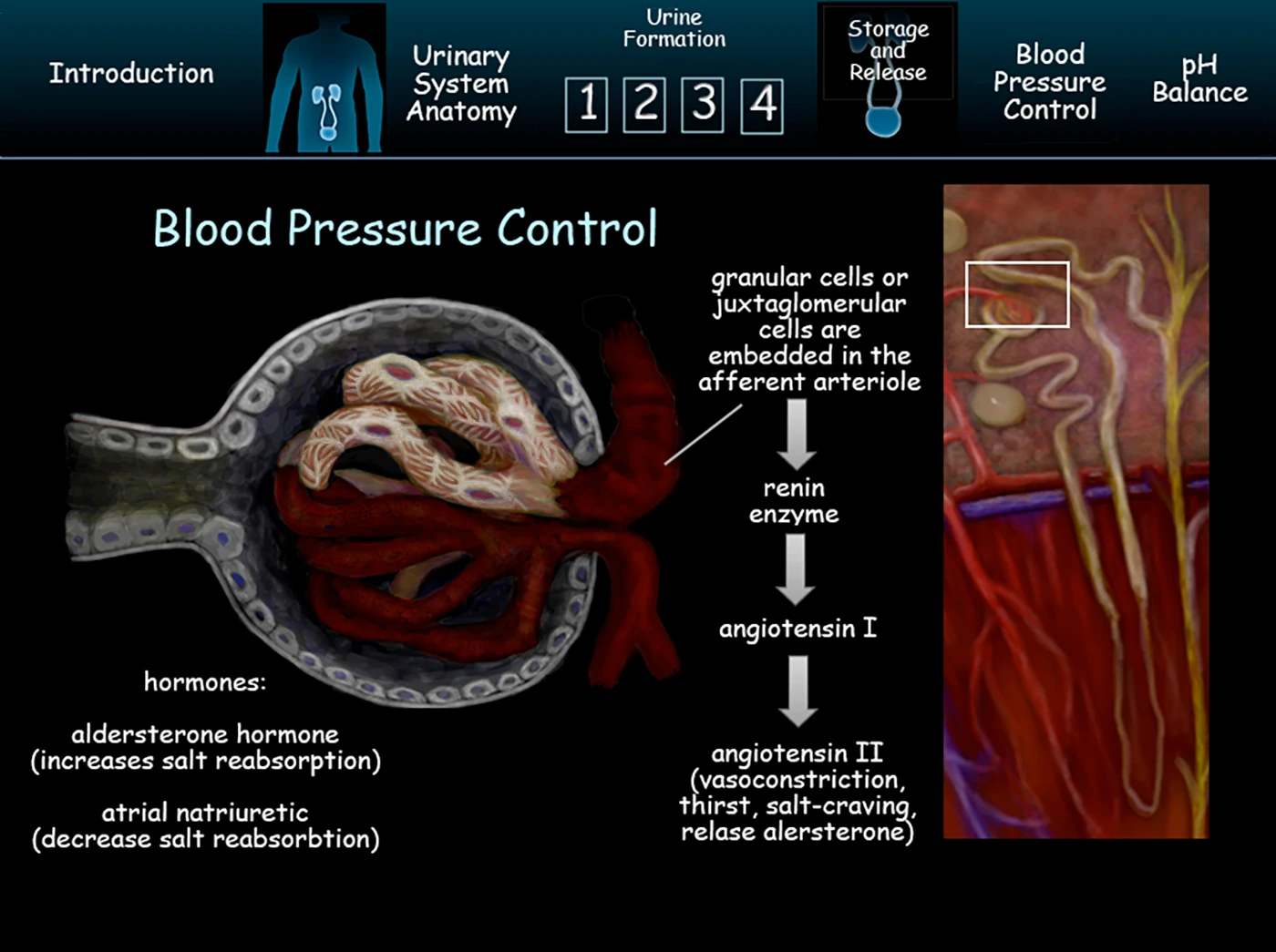
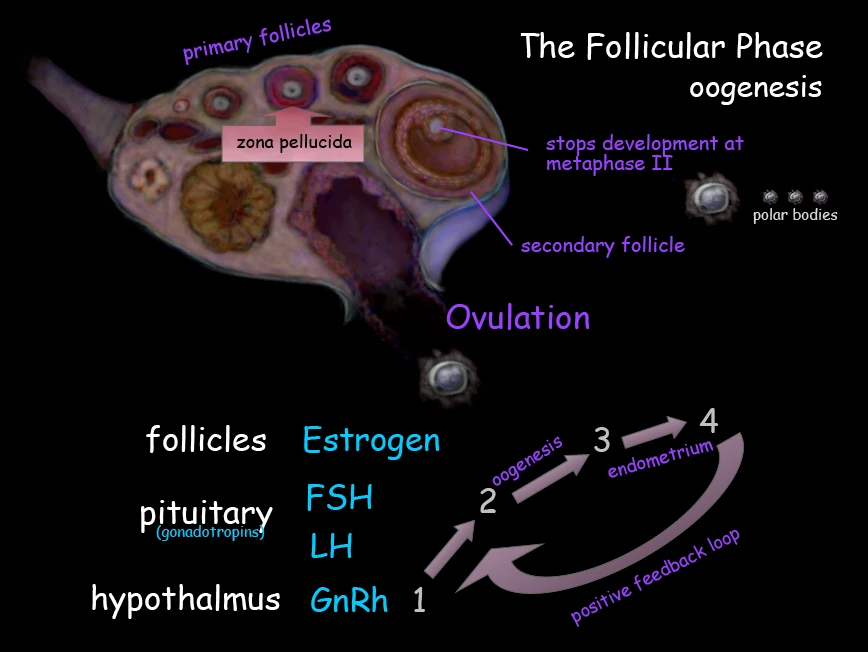
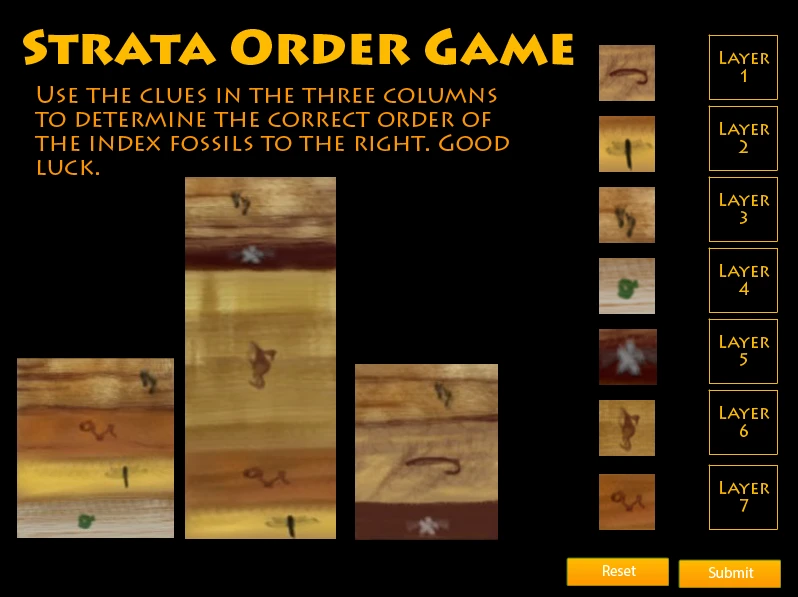
Name of Game
Characters
See characters develop from simple sketches through to production ready animations
- Key Features: Interactive lab simulations, BioMysteries™, adaptive diagnostic quizzes, and collaborative exam review games.
Name of Game
Environments
A full-year high school chemistry curriculum for Canvas, Moodle, or standalone web delivery.
- Key Features: Interactive lab simulations, BioMysteries™, adaptive diagnostic quizzes, and collaborative exam review games.

Information Architecture/Design: How it's organized
UI Design: How it works before I touch it
UX Design: How I feel about it
To bridge text concepts and production, Filament Games pairs their Game Design Document (GDD) with a separate, visual wireframe pipeline. We keep wireframes out of the main GDD text, using them instead as a sequential mockup deck to map user experience before writing any code. By using wireframes, we avoid issues such as a game artist creates graphics only to find out that they needed to be broken up into parts to facilitate animation. A developer builds out a feature only to find that the feature was intended to work in a different way.
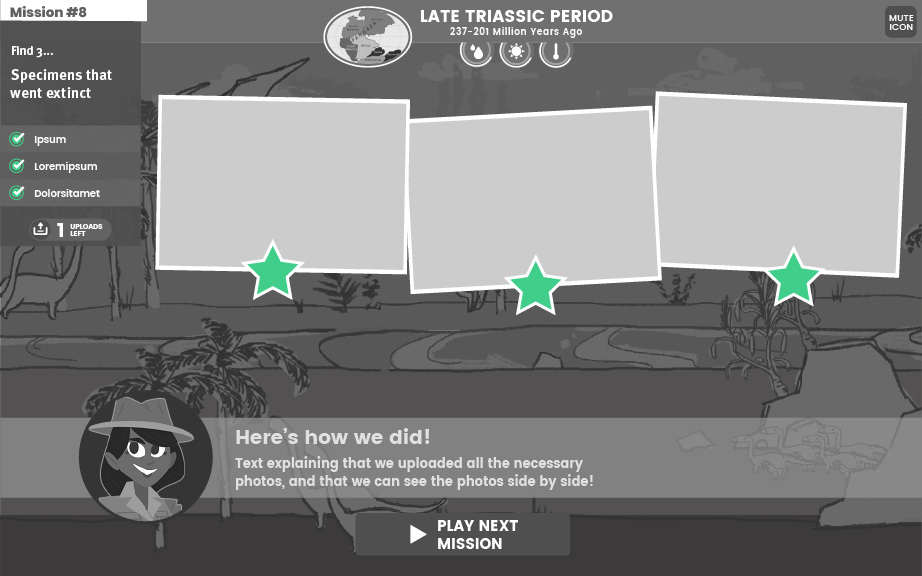
The "Two-Headed" Approach: They structure pre-production into two distinct documents: the GDD (focusing on rules, mechanics, and learning data) and the Wireframe Deck (focusing on layout, UI hierarchy, and user flow).
Click-Through Narrative: They build wireframes to read like a book or a slideshow. A developer should be able to click through the deck to experience the exact, logical sequence a player goes through from the title screen to the core gameplay.
Low-Fidelity Focus: Filament intentionally keeps wireframes simple, utilizing basic shapes, gray boxes, and temporary fonts. They stress that avoiding polished art during this stage prevents stakeholders from getting distracted by aesthetics rather than focusing on layout and functional flow.
Core Components in a Wireframe
Every screen modeled in a wireframe deck requires specific structural elements to be useful for engineers and artists:
Layout Blocks: Boxes that dictate the exact hierarchy and placement of UI elements, buttons, and instructional text areas. Already thought goes in to prioritizing the most important elements.
Visual Placeholders: Rough sketches or boxes indicating where gameplay feedback, timers, scores, or pedagogical meters will live.
Callout Labels: Numbered circles or markers placed directly over UI elements to link the visual component to an explanatory note.
Functional Annotations: A dedicated sidebar or bottom panel detailing exactly what happens when a user clicks a specific button (e.g., "Launches reward animation," "Saves state and routes to Level 2").

Information Architecture/Design: How it's organized
There are software engineers at work on multiple teams. In the design team the software people are front-end specialists. For a package manager our front-end team uses Node.js’s npm/pnpm + Vite / esbuild. We use these tools to encapsulate and sync source code to specific versions. As a studio we render to PixiJS, Phaser or WebGL2 / WebGPU. Based on past experience writing large Javascript projects, for more robust and scalable code we go with Typescript. All of our external data is stored as JSON.
At this point we have mature JS engines to chose from and no longer have to make our own. For 3D, Unity is our go-to engine.
Alpha Stage - Feature Sprint
The design sprints are done for the time being and now the focus is on developing the features for the Alpha Release. This would be a subset of the features that would appear in the Beta and Gold Release. This is a code heavy phase where the interactions, player input, and player feedback is put into place.
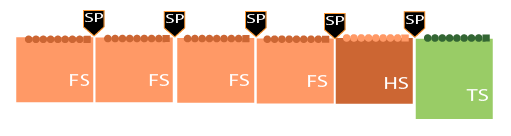
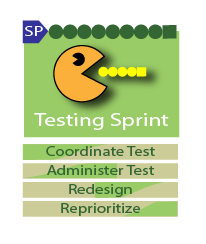
Just as in the design phases, each sprint is 2-weeks long and there is a testing sprint built in, this time at the last sprint. This is an in-house/stakeholder play test at this phase, not a play test where users are yet involved. That will happen at the next stage.

Information Architecture/Design: How it's organized
Interaction Design: How it works after I touch it
Web Design: How it works in the browser

Plans and manages Art Asset Production
Stay in touch with team
Feature Design Team
Create concept characters, environment sketches, and pencil test animations for the art director. Then iterate as needed until approved.
Create production ready illustrations from approved sketches.
Create production ready environments from approved sketches
Create production ready animations from approved pencil tests
Create production ready 3D models

Development: Actual Coding
Plans and manages Art Asset Production
Stay in touch with team
Art Design Team
Create concept characters, environment sketches, and pencil test animations for the art director. Then iterate as needed until approved.
Create production ready illustrations from approved sketches.
Create production ready environments from approved sketches
Create production ready animations from approved pencil tests
Create production ready 3D models
AI has changed the landscape of coding and has become a very valuable tool for developers. Where the rapid transition is happening right now is learning not only where to best apply it but how to give it precise context, giving it detailed specifications, state machines, and robust test suites before any code is written. Ai can spit out all the things it has been trained in on from documentation, but where it often make blaring errors is the tribal knowledge that is inside an experiences software engineer's wealth of experience that they have learned along the way, especially in troubleshooting, that is not in the documentation. One of the new roles of an engineer is realizing how to best capture that and train AI to catch more errors before they become trouble. In essence, a software engineer has new skills to develop in architectural thinking, writing unambiguous specifications, and supervising AI agents, rather than just raw coding speed.

Some barriers are technical. Others arise from interaction design. Automated tools can confirm that a button exists and is labeled. They cannot determine whether a learner understands what to do with it under pressure. They cannot evaluate pacing, predict confusion, or detect when important cues are being missed due to sensory overload or UI complexity.
Accessibility
Meaningful accessibility testing involves asking:
Can a low-vision player interpret key interface elements during fast-paced activities?
Are input models consistent, discoverable, and supported across devices?
Is essential information conveyed through multiple sensory channels?
Can learners control the pace at which they receive instructions or feedback?
These questions can’t be answered by a browser extension or scan report. They require real-time observation, usability insight, and accessibility-informed QA.
Plans and manages Art Asset Production
Stay in touch with team
Art Design Team
Create concept characters, environment sketches, and pencil test animations for the art director. Then iterate as needed until approved.
Create production ready illustrations from approved sketches.
Create production ready environments from approved sketches
Create production ready animations from approved pencil tests
Create production ready 3D models
Testing Sprint
Text

Text

Plans and manages Art Asset Production
Stay in touch with team
Art Design Team
Create concept characters, environment sketches, and pencil test animations for the art director. Then iterate as needed until approved.
Create production ready illustrations from approved sketches.
Create production ready environments from approved sketches
Create production ready animations from approved pencil tests
Create production ready 3D models

Text
Plans and manages Art Asset Production
Stay in touch with team
Art Design Team
Create concept characters, environment sketches, and pencil test animations for the art director. Then iterate as needed until approved.
Create production ready illustrations from approved sketches.
Create production ready environments from approved sketches
Create production ready animations from approved pencil tests
Create production ready 3D models

Text
Plans and manages Art Asset Production
Stay in touch with team
Art Design Team
Create concept characters, environment sketches, and pencil test animations for the art director. Then iterate as needed until approved.
Create production ready illustrations from approved sketches.
Create production ready environments from approved sketches
Create production ready animations from approved pencil tests
Create production ready 3D models

Text
Plans and manages Art Asset Production
Stay in touch with team
Art Design Team
Create concept characters, environment sketches, and pencil test animations for the art director. Then iterate as needed until approved.
Create production ready illustrations from approved sketches.
Create production ready environments from approved sketches
Create production ready animations from approved pencil tests
Create production ready 3D models
Hardening Sprint
Text
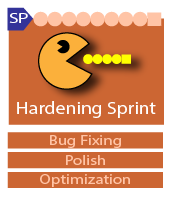
The hardening Sprint is the sprint where your goal is to reach readiness for release, whether that is the Alpha, Beta, or Gold Release.

Though a fair number of bugs pop up and are fixed in other stages, this is where the deep-seeking of bugs routes out what may have gone un-noticed up to this point or bugs that just was not yet gotten to.
Plans and manages Art Asset Production
Stay in touch with team
Art Design Team
Create concept characters, environment sketches, and pencil test animations for the art director. Then iterate as needed until approved.
Create production ready illustrations from approved sketches.
Create production ready environments from approved sketches
Create production ready animations from approved pencil tests
Create production ready 3D models

The polish phase is the perfection stage, buffing out all the little imperfections that might have passed in earlier stages. This stage has the tweaks for alignments, perfect sizing, exact timing parameters, etc.
Plans and manages Art Asset Production
Stay in touch with team
Art Design Team
Create concept characters, environment sketches, and pencil test animations for the art director. Then iterate as needed until approved.
Create production ready illustrations from approved sketches.
Create production ready environments from approved sketches
Create production ready animations from approved pencil tests
Create production ready 3D models

Optimization helps all the platforms the software was targeted to run on, but it is critical for older iPads and mobile.
Plans and manages Art Asset Production
Stay in touch with team
Art Design Team
Create concept characters, environment sketches, and pencil test animations for the art director. Then iterate as needed until approved.
Create production ready illustrations from approved sketches.
Create production ready environments from approved sketches
Create production ready animations from approved pencil tests
Create production ready 3D models
Beta Stage

Advancing to the Beta (prototype) stage, we aim to introduce a playable version of all game features, incorporating adjustments from the Alpha play test. This stage is pivotal in validating the effectiveness of the changes for the intended learners. Engagement testing with real users of the game is an important aspect of this phase. Nevertheless, sprints are allocated after the Alpha play test to facilitate further enhancements prior to the Beta release.
Gold Release Stage
The Gold Release marks the public launch of the game. Depending on the intended platform, we deploy the game accordingly (e.g., embedding it on a chosen website or submitting it to platforms like the App Store or Google Play). We provide a standard 30-day warranty post-deployment for all our projects.